How to use OpenRouter in BoltAI
Written By Daniel Nguyen
OpenRouter is a unified API platform for accessing multiple AI Large Language Models (LLMs), like GPT-4, Claude, and Llama, through a single interface, simplifying development by letting you switch models (commercial or open-source) with one API key instead of managing multiple providers. It offers standardized access, better performance, cost management, and data control, making it easier to integrate various AI capabilities into applications.
BoltAI has a first-class support for OpenRouter.
Follow these quick steps to set up and interact with OpenRouter models inside BoltAI.
Prerequisite
Make sure you’ve generated a valid API key and your OpenRouter account has enough credits.
Set up OpenRouter provider in BoltAI
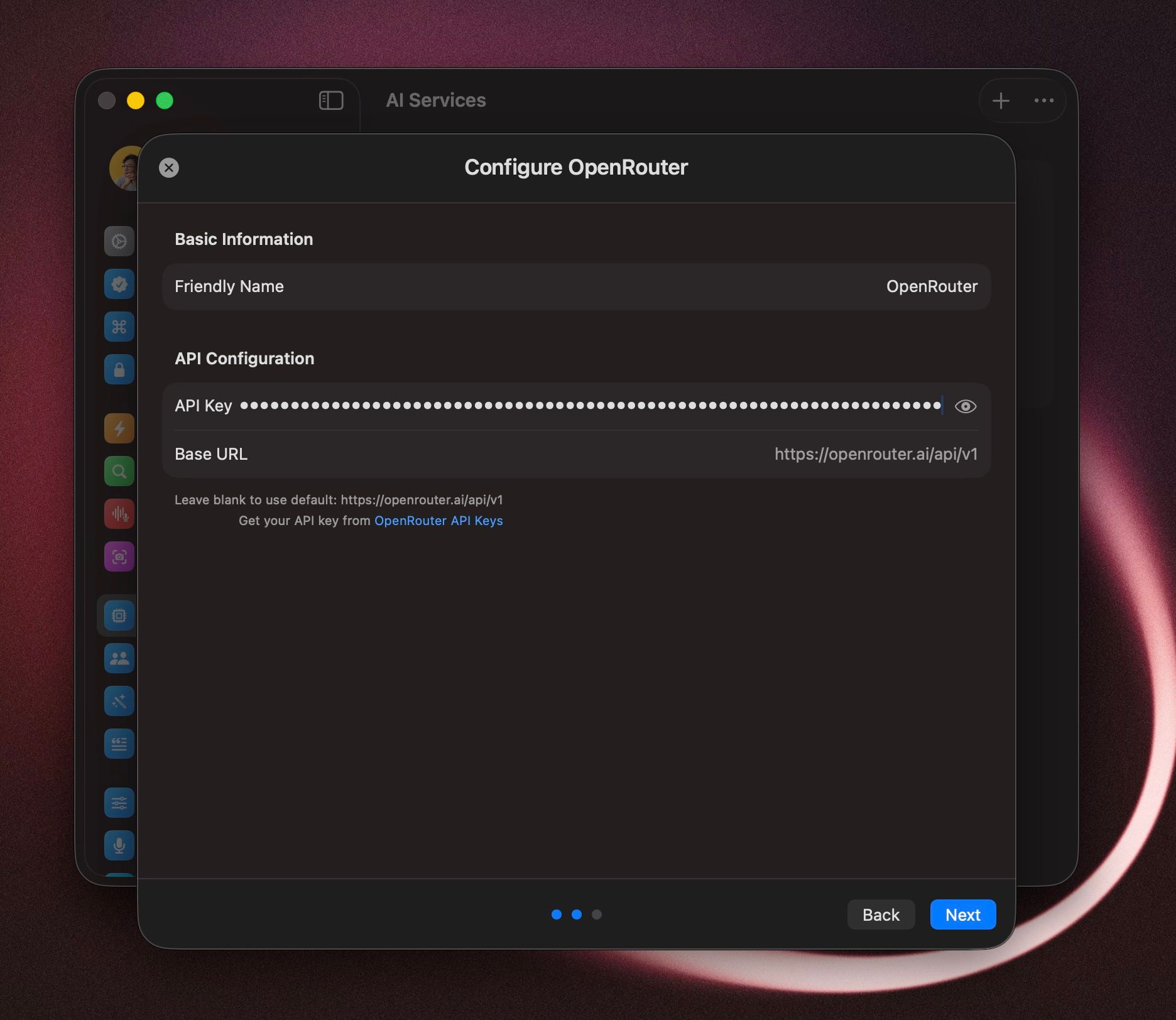
Open BoltAI → Settings → AI Services.
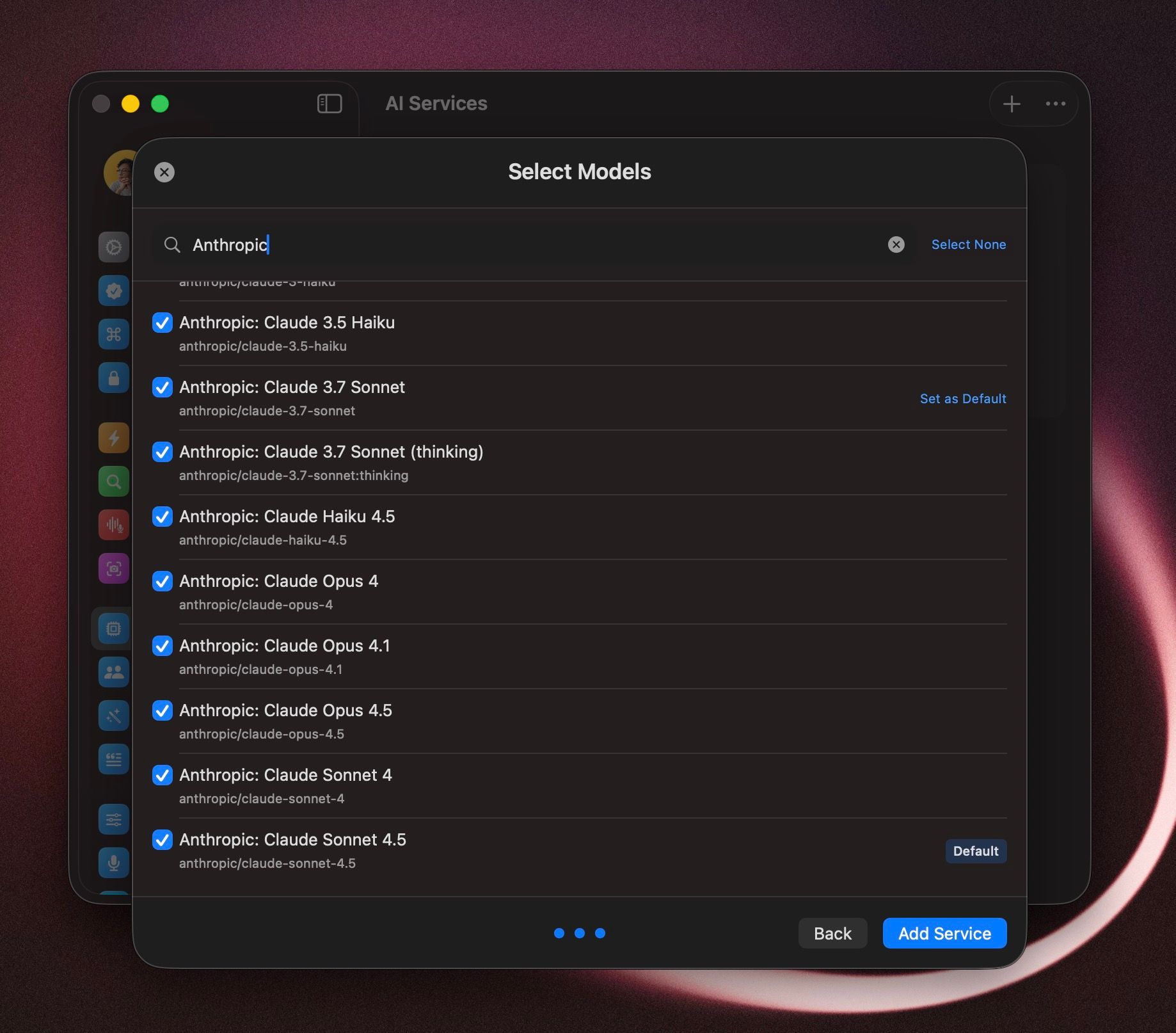
Click Add → choose OpenRouter → Next.
(optional) Select your favorite models.
Set a Default Model → Add Service.
Start a new chat with OpenRouter models
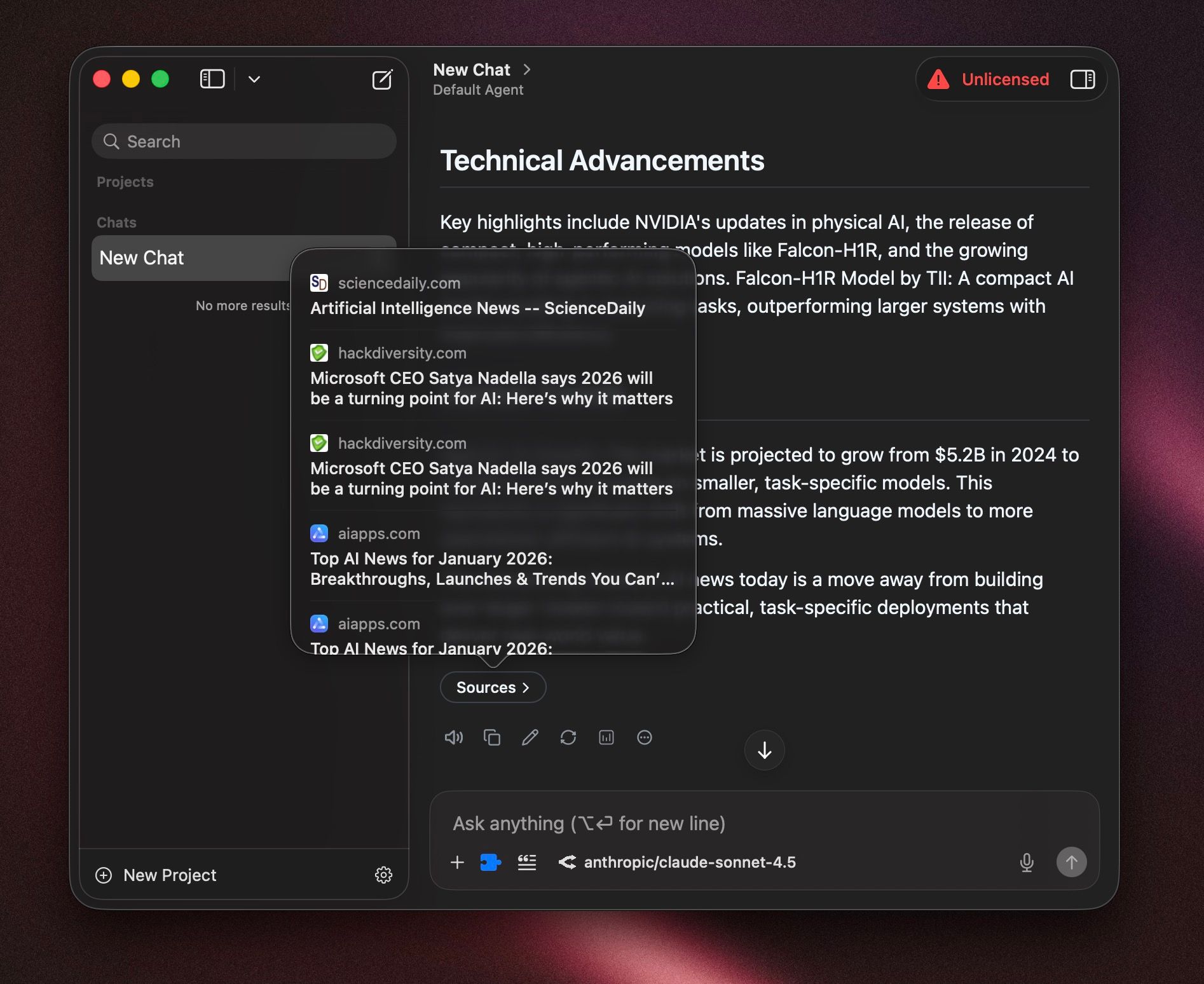
Click New Chat.
Choose the OpenRouter service/model in the model switcher.
(Optional) Enable web search tool if you want to use OpenRouter’s native web search capabilities
Send your message
Start an Instant Chat with OpenRouter
Trigger your Instant Chat keyboard shortcut (default
opt+space)Select OpenRouter model (keyboard shortcut
cmd+shift+m)Send your message
Was this helpful?
Still need help? Ask the team