I forgot my master password. How can I reset?
Written By Daniel Nguyen
BoltAI lets you protect your API keys with your own master password using end-to-end encryption (E2EE). This means nobody can read your API keys, including the BoltAI developer.
Because of this, BoltAI cannot recover your API keys if you forget your master password.
Follow this guide to reset your security settings and set up your API keys again.
How can I reset my encryption key?
Reset security settings in the Mac app.
In BoltAI for Mac, go to Settings > Security.
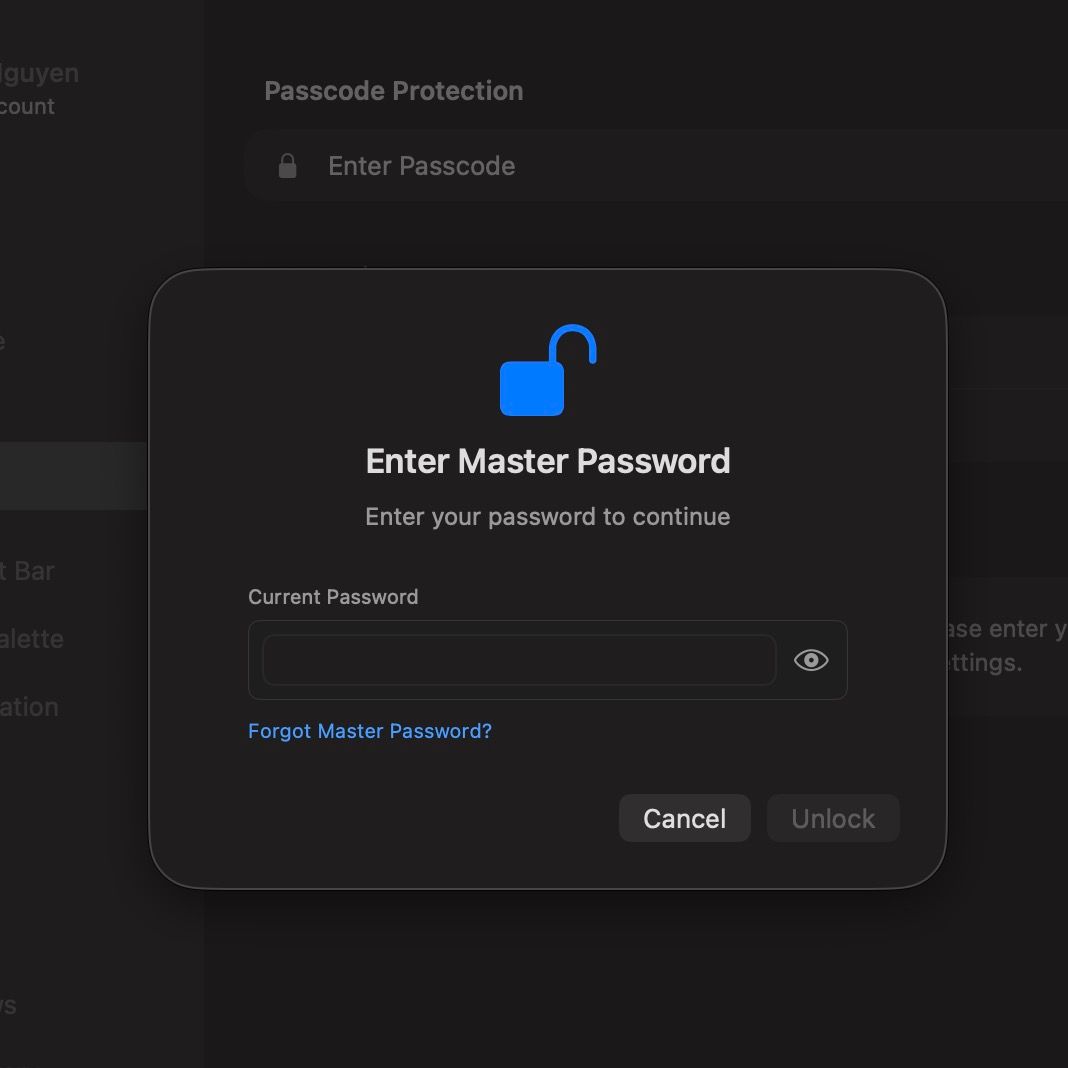
Click “Enter Passcode”.
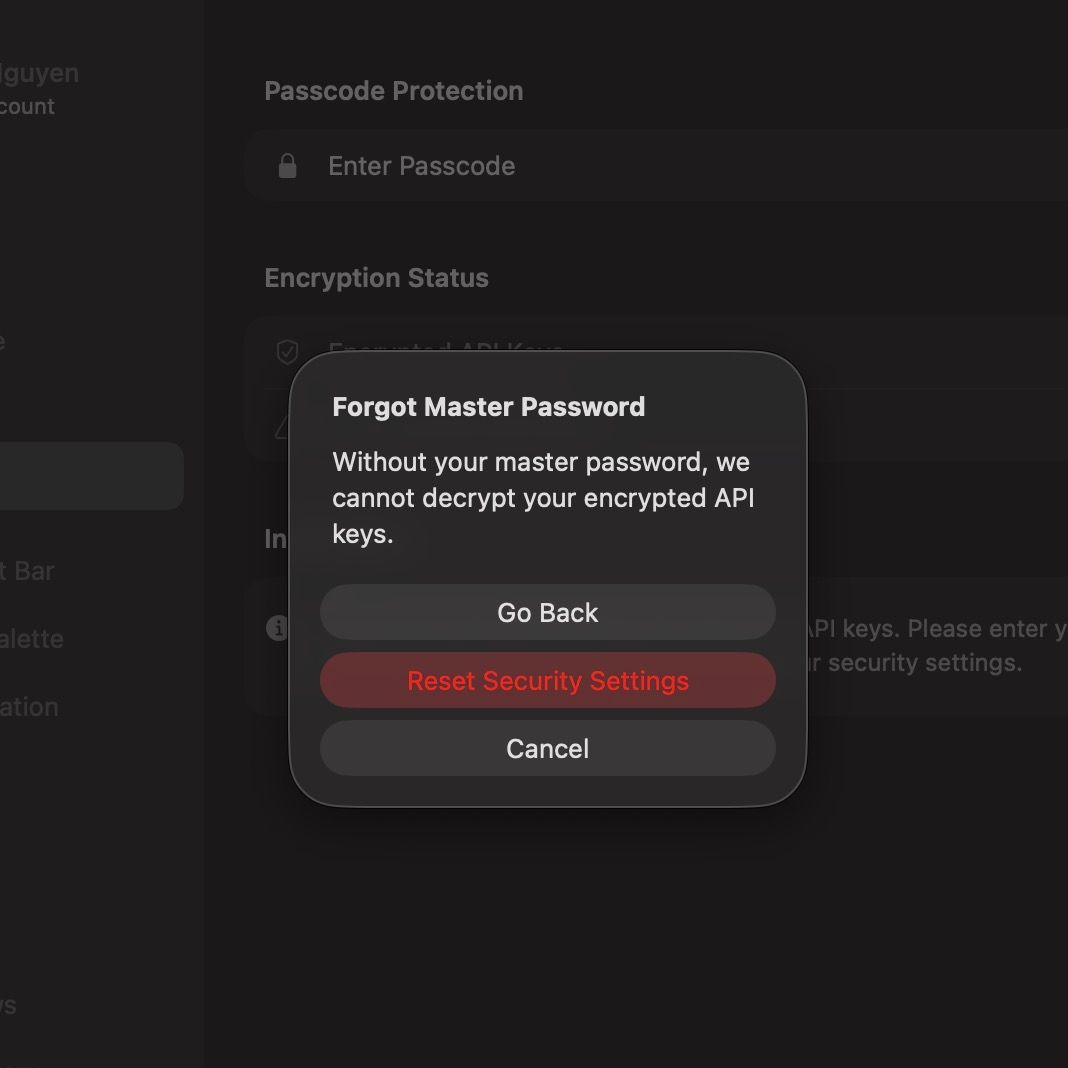
In the form, type any incorrect password. Then click “Forgot Master Password?”
In the “Forgot Master Password” dialog, click “Reset Security Settings”.
After the reset, your security status will return to Not Set.
You will then need to manually enter your API keys again in Settings > AI Services.
Reset Security Settings in the web app.
Log into the web app at chat.boltai.com
Navigate to the Settings screen chat.boltai.com/settings
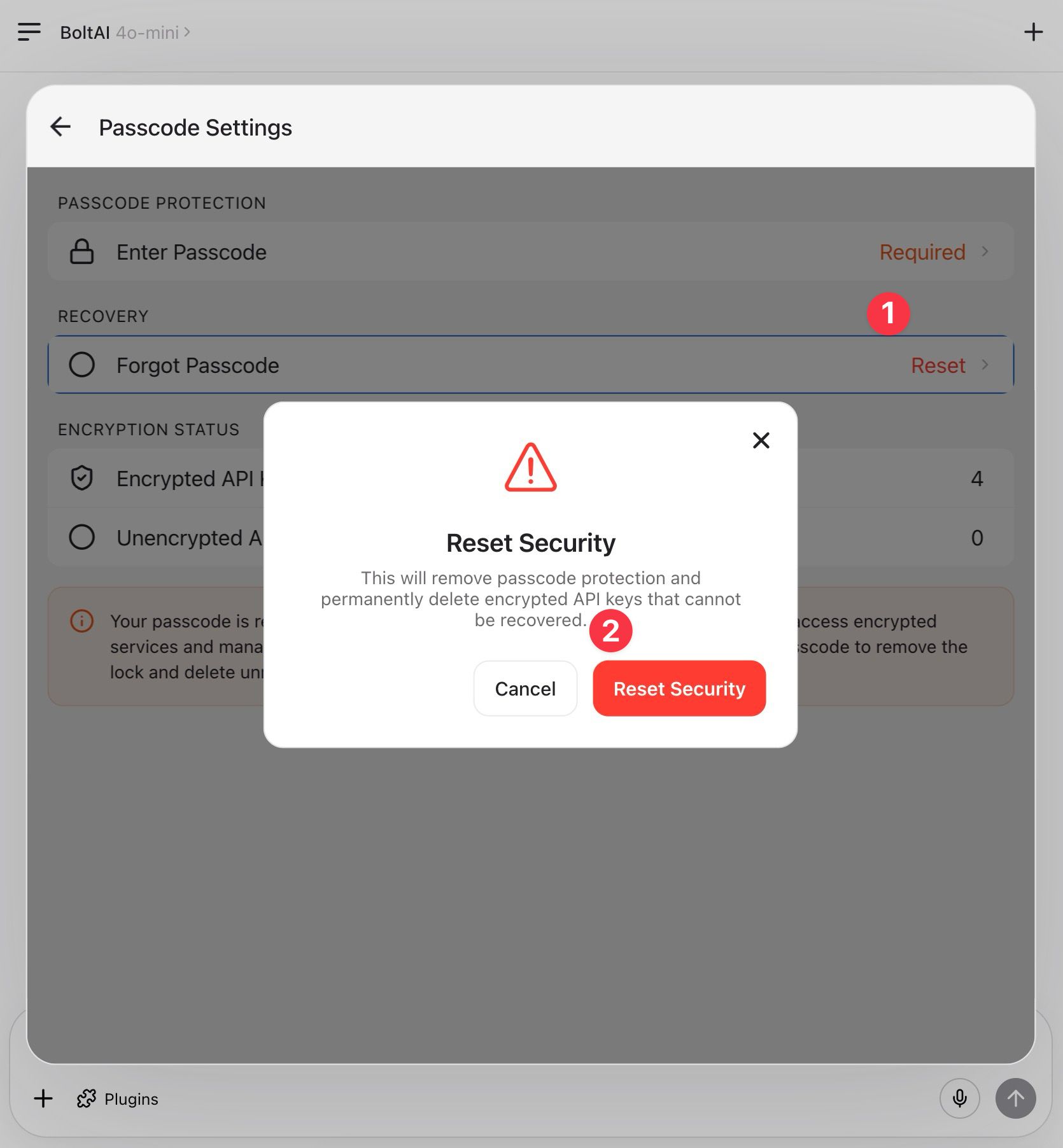
Navigate to the “Passcode” screen
In the “Recovery” section, click “Forgot Passcode / Reset”
In the confirm modal, click “Reset Security”
FAQs
Does BoltAI store my master password?
BoltAI does not send your master password to BoltAI’s servers. On your Mac, BoltAI may keep a device-only copy in macOS Keychain so you don’t have to enter it every time. That copy stays on your device.
How are my API keys stored?
If passcode protection is enabled, BoltAI encrypts your API keys before saving them. The encrypted version is stored in BoltAI’s local database and, if you use sync, may sync as encrypted data. Your plain-text API keys are not recoverable from BoltAI’s servers.
How does the encryption work?
In simple terms, BoltAI encrypts each API key before storing it. Your master password is used to protect that encryption, and your Mac can also keep device-local secure data in Keychain to make unlocking more convenient on that device.
Why can’t BoltAI recover my forgotten master password?
Because BoltAI does not keep a recoverable copy of your master password and does not have a backdoor to decrypt your API keys. If you forget it, the encrypted API keys cannot be restored.
What happens when I click “Reset Security Settings”?
BoltAI removes the current passcode protection setup and permanently deletes any encrypted API keys that depended on that password. It keeps the AI service configuration itself, such as provider, endpoint, and other non-secret settings, so you only need to enter the API keys again.
Will resetting delete my chats or imported conversations?
No. Resetting security settings only affects your master password setup and encrypted API key data. Your chats, imported conversations, and other non-secret app data stay intact.
Do I need to re-enter all API keys?
Only the API keys that were protected by the forgotten master password need to be entered again. Services that were not using encrypted keys are not affected.
Do I need to re-enter my API keys on every device?
No. If sync is enabled, you can enter your API keys again on one device and BoltAI will sync them to your other signed-in devices. On those devices, you may still need to enter your master password to unlock and use the synced keys.
Was this helpful?
Still need help? Ask the team