Agent Skills
Teach BoltAI new tasks with Agent Skills, run them with /, and choose what they may do.
Written By Daniel Nguyen
An Agent Skill teaches BoltAI a task, such as writing release notes in your format or summarizing a book chapter by chapter. Each Agent Skill is a folder with instructions in a SKILL.md file, and sometimes scripts.
Turn on Agent Skills
- Put your Agent Skill folders in ~/.agents/skills on your Mac.
- Open Settings › Agent Skills and turn on Use Agent Skills.
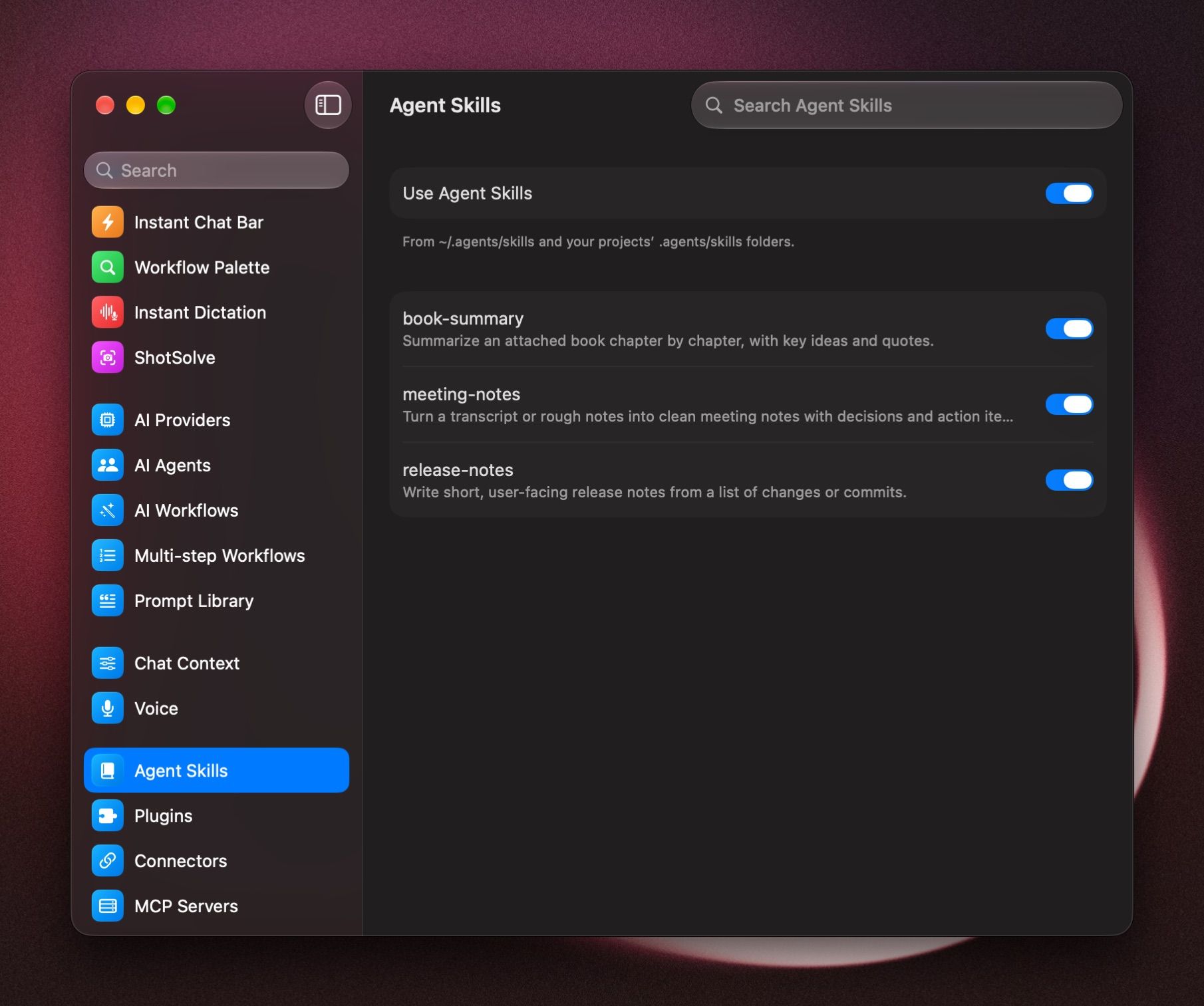
They're listed as Personal. Agent Skills inside a project's linked folders appear too (see below).
Run an Agent Skill
- Pick it: type / in the message box and choose the Agent Skill, or type its name after the /.
- Ask: when tools are on in the chat, the model loads an Agent Skill on its own when it fits your request.
Some Agent Skills are marked Manual only. They only run when you pick them with /.
See what an Agent Skill does
Click it in Settings › Agent Skills. You'll see its description, where its folder is (Open Folder shows it in Finder), and its files. Click SKILL.md to read the instructions.
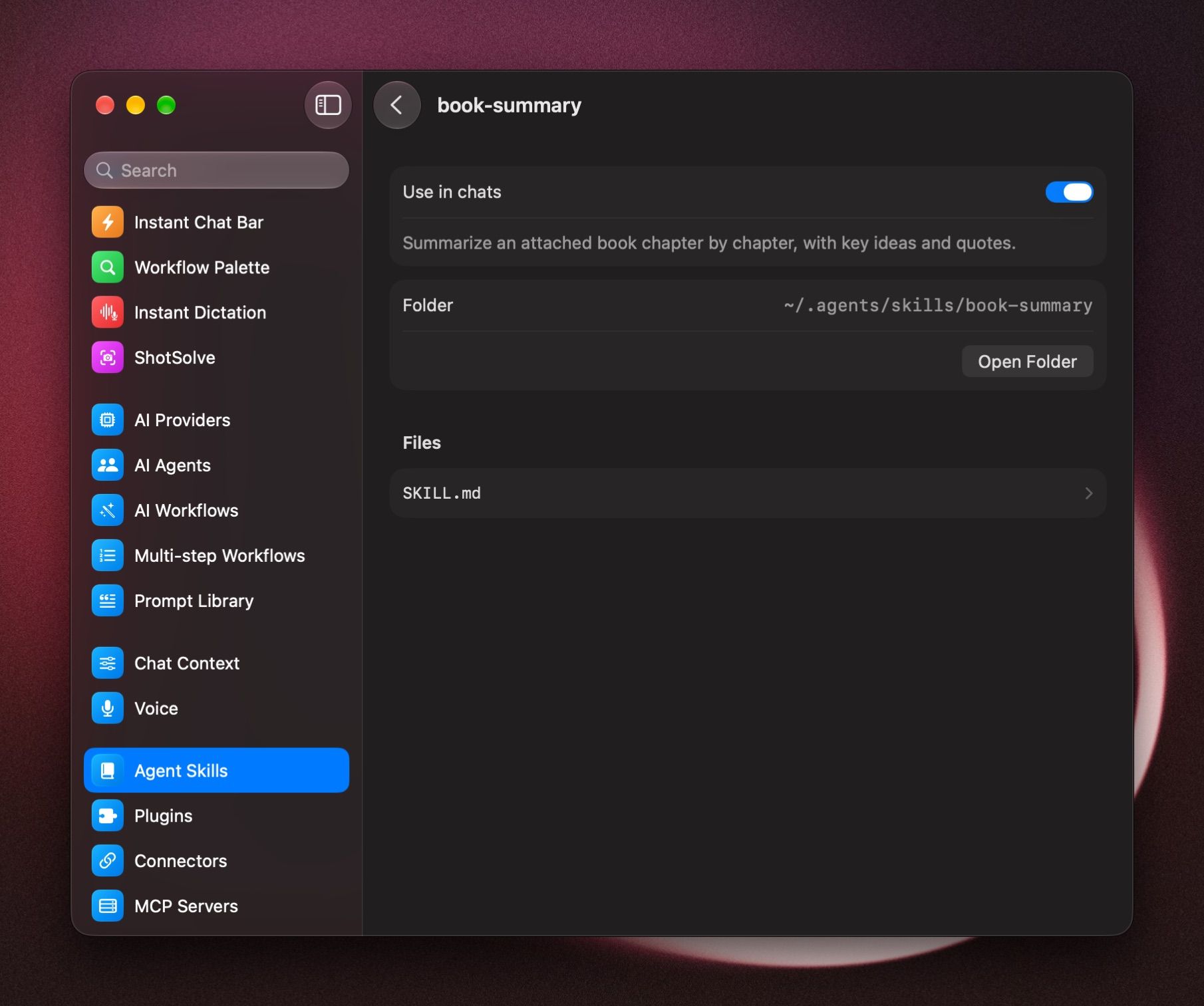
To stop using one, turn off its switch, or Use in chats on its page.
An Agent Skill wants internet access
Scripts in an Agent Skill run in a sandbox on your Mac, with no internet. When a script needs the internet, the chat asks: "[skill]" wants to run a command with internet access. Approve it to continue.
Tick Always allow internet access for this skill to stop the question for that Agent Skill on this Mac. To be asked again, open the Agent Skill in Settings › Agent Skills and click Ask Every Time under Internet access.
Use a project's own Agent Skills
Keep Agent Skills with a project in a .agents/skills folder inside one of its linked folders. In the project's settings, turn on Use Agent Skills from linked folders. They're used only in that project's chats, on this Mac. See Projects.
Agent Skills listed by name only
With many Agent Skills, some are Listed by name only for now, to fit the chat context. They still run when you pick them with /.
Was this helpful?
Still need help? Ask the team