Browser Use and Computer Use
Let BoltAI browse in Chrome and use the Mac apps you allow.
Written By Daniel Nguyen
With Browser Use, BoltAI opens web pages in Chrome, reads them, clicks and types for you. With Computer Use, it works in the Mac apps you allow, such as Notes or TextEdit.
Both are in Labs and off until you turn them on. They need macOS 14 or later.
Let BoltAI use Chrome
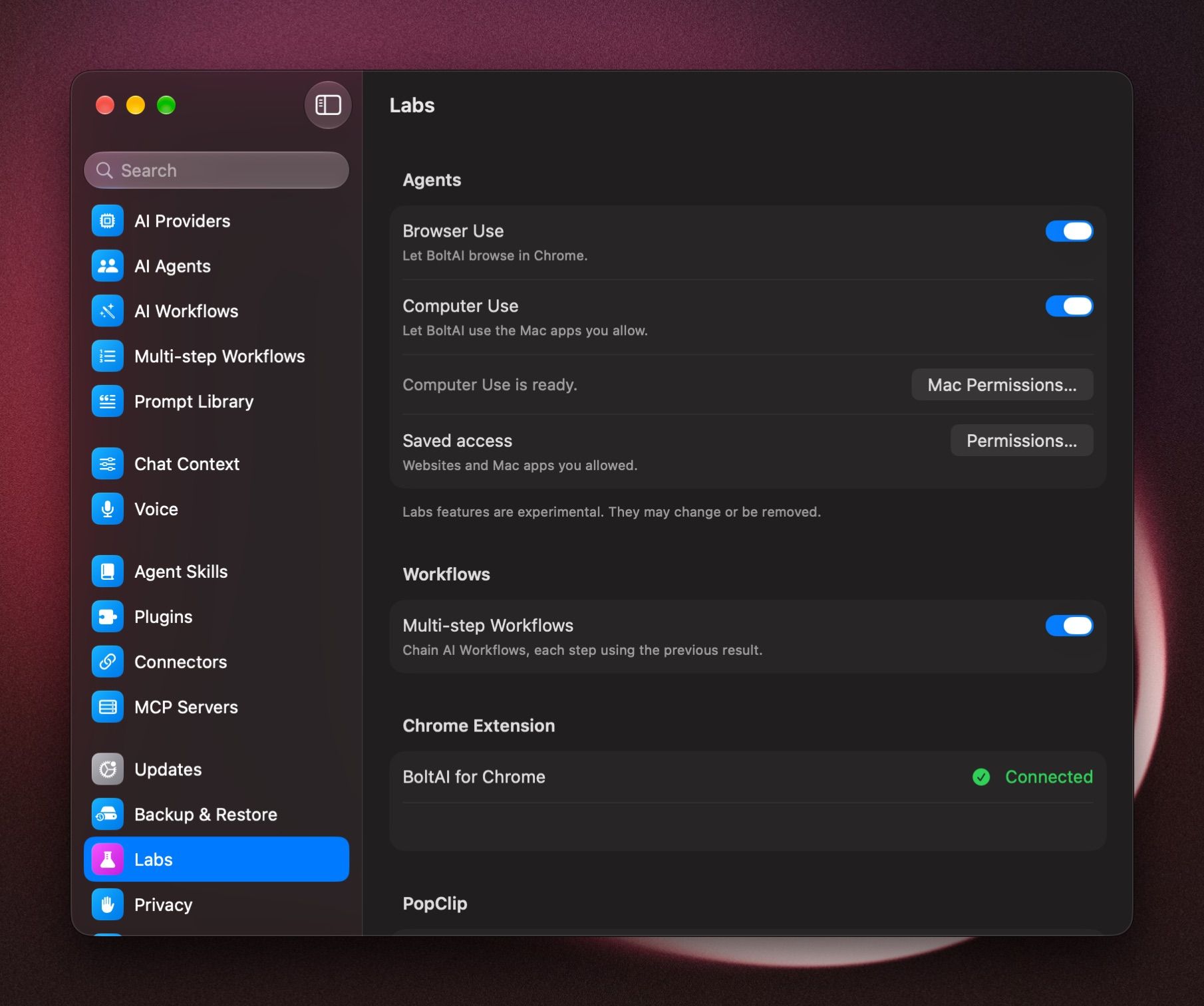
- Open Settings › Labs and turn on Browser Use.
- Under Chrome Extension, click Install Extension and add BoltAI for Chrome to Chrome.
- Keep Chrome open. BoltAI for Chrome shows Connected when it's ready.
If it says BoltAI for Chrome isn't connected, open Chrome and check that the extension is turned on.
Let BoltAI use your Mac apps
- Open Settings › Labs and turn on Computer Use.
- If asked, click Download. It's a one-time download of about 21 MB.
- When it says Computer Use is ready., click Mac Permissions… and allow Accessibility and Screen Recording for BoltAI.
Finder, terminals, code editors and password managers are never offered to Computer Use.
Use them in a chat
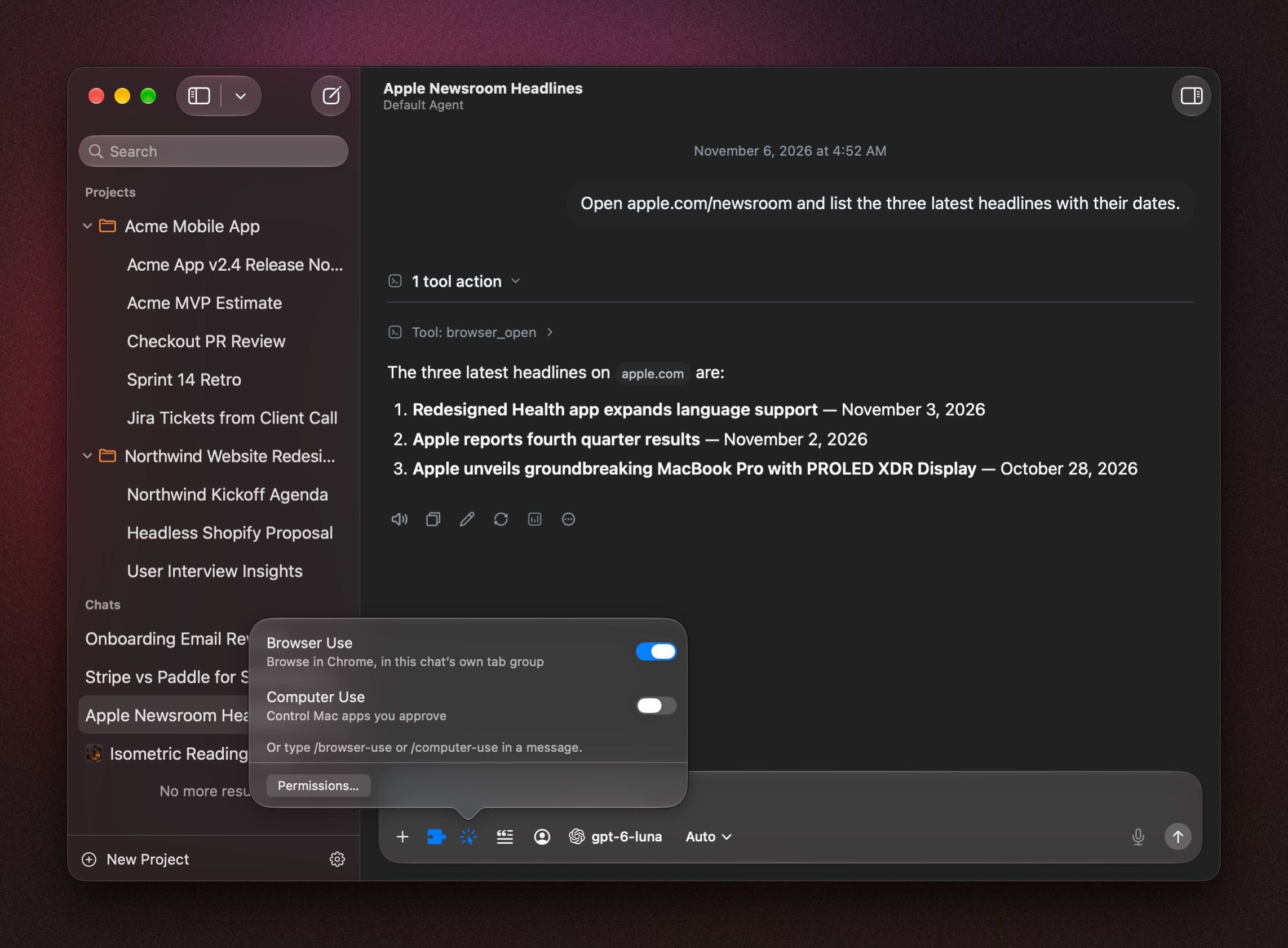
- In a chat, click the Browser and Computer Use button in the message box, or type /browser-use or /computer-use.
- Turn on Browser Use, Computer Use, or both.
- Ask, for example Open the Apple Newsroom and list today's headlines, or Open TextEdit and write a short packing list.
The button turns blue while either is on, and pulses while BoltAI works. In Chrome, each chat gets its own tab group, so you can see what BoltAI opened.
Allow a site or an app
The first time BoltAI wants to open a site or use an app, the chat asks you first.
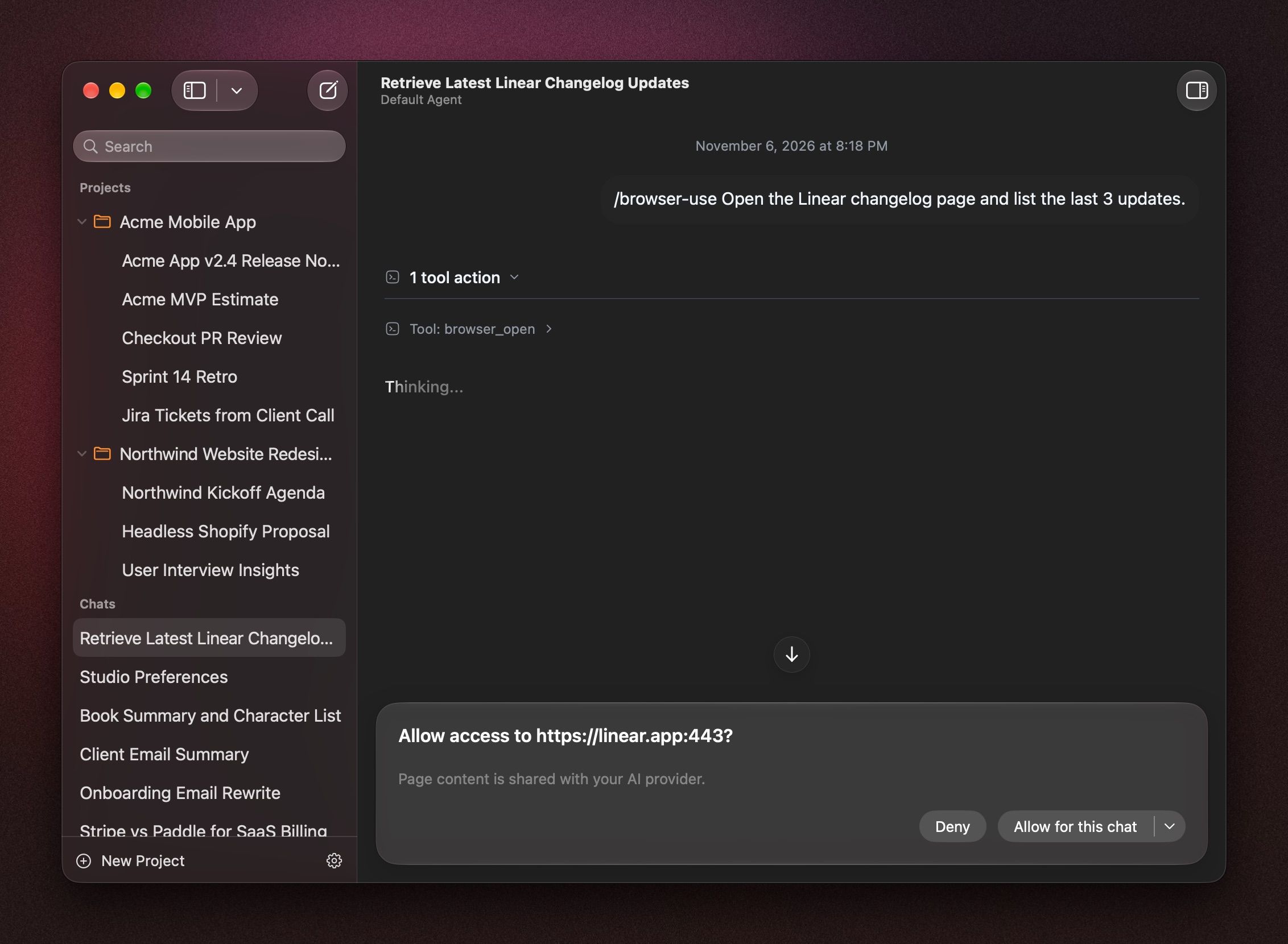
- For a website: Allow once, Allow for this chat, Always allow this site or Always allow all websites.
- For an app: Allow once, Allow for this chat or Always allow this app.
What BoltAI reads on the page or in the app is sent to your AI provider.
Remove access
Open Settings › Labs and click Permissions… next to Saved access. Click Revoke next to any site or app, then Done.
Was this helpful?
Still need help? Ask the team