How to export diagnostics for Cloud Sync issues
Written By Daniel Nguyen
If Cloud Sync is failing, BoltAI support may ask you to export a diagnostics report. This helps us investigate your sync state and recent sync events without including your chat content.
Diagnostics reports capture metadata only. They do not include prompt/message content, API keys, or tokens.
1. Enable diagnostics logging
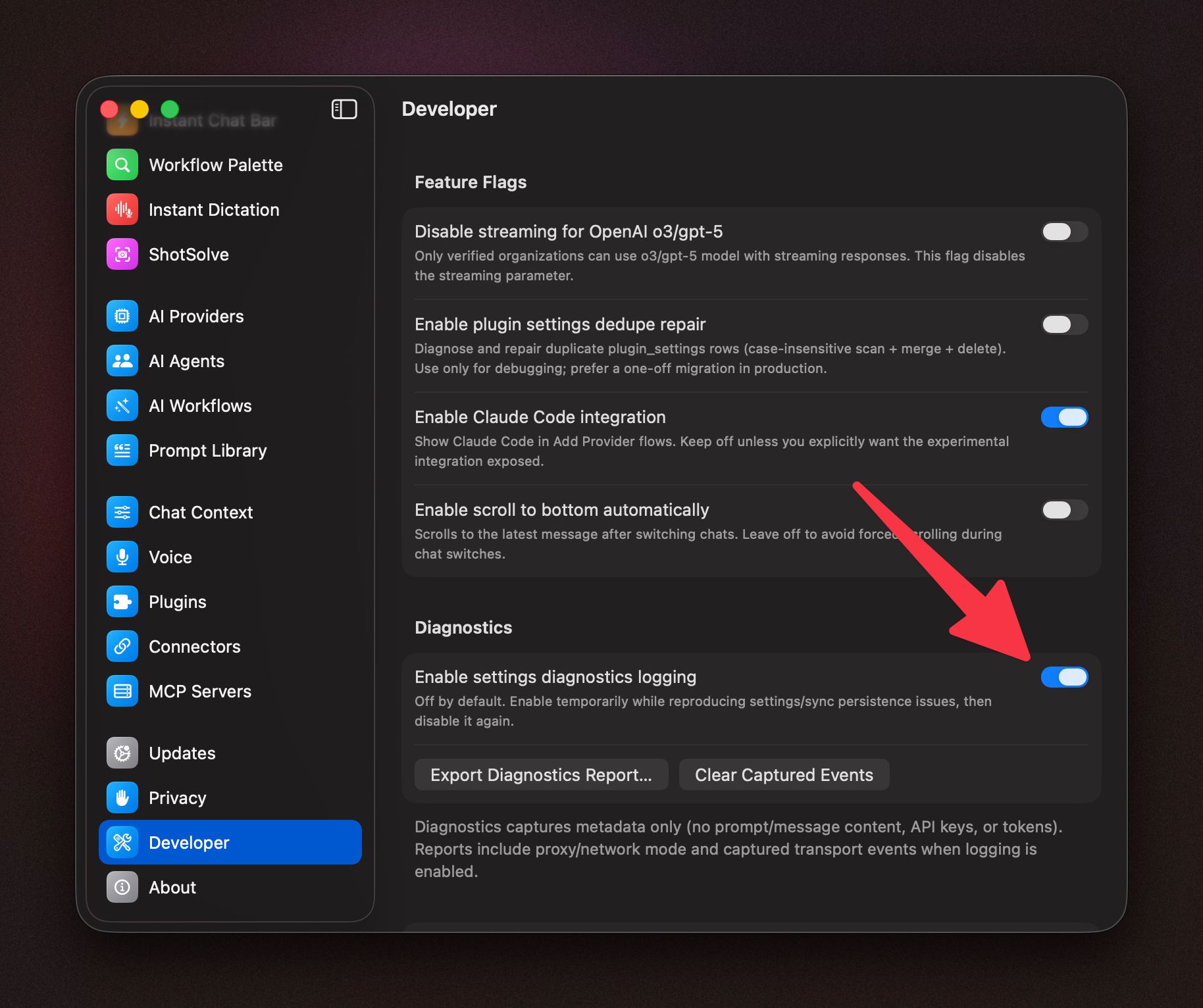
Open BoltAI > Settings.
Select Developer.
In the Diagnostics section, turn on Enable settings diagnostics logging.
2. Reproduce the sync issue
Go to Settings > Cloud Sync.
Click Retry or Sync Now to reproduce the issue once.
3. Export the diagnostics report
In Settings > Cloud Sync, click Export diagnostics….
If you do not see that button, go back to Settings > Developer > Diagnostics and click Export Diagnostics Report….
4. Send the report to BoltAI support
Email the exported .json file to:
hello@boltaisupport.com
Please also include:
The visible Sync Error Report, if BoltAI shows one
Your BoltAI version
Your macOS version
Whether you are using Setapp
After sending the report, you can turn Enable settings diagnostics logging off again.
Was this helpful?
Still need help? Ask the team