Why do I see “Payment Required” in BoltAI with Setapp?
Written By Daniel Nguyen
What this means
If you use BoltAI through Setapp, some AI requests are routed through Setapp’s AI entitlement and credit system.
When BoltAI shows:
Setapp rejects your request with this error: Payment Required
it means Setapp refused the request before BoltAI could complete it.
This is usually a Setapp-side access or credit issue, not a BoltAI rendering problem.
Common reasons
Possible causes include:
you have no AI credits remaining
your current Setapp plan does not include enough AI access for this request
there is a billing or account issue on the Setapp side
Setapp temporarily rejected the request even though BoltAI submitted it correctly
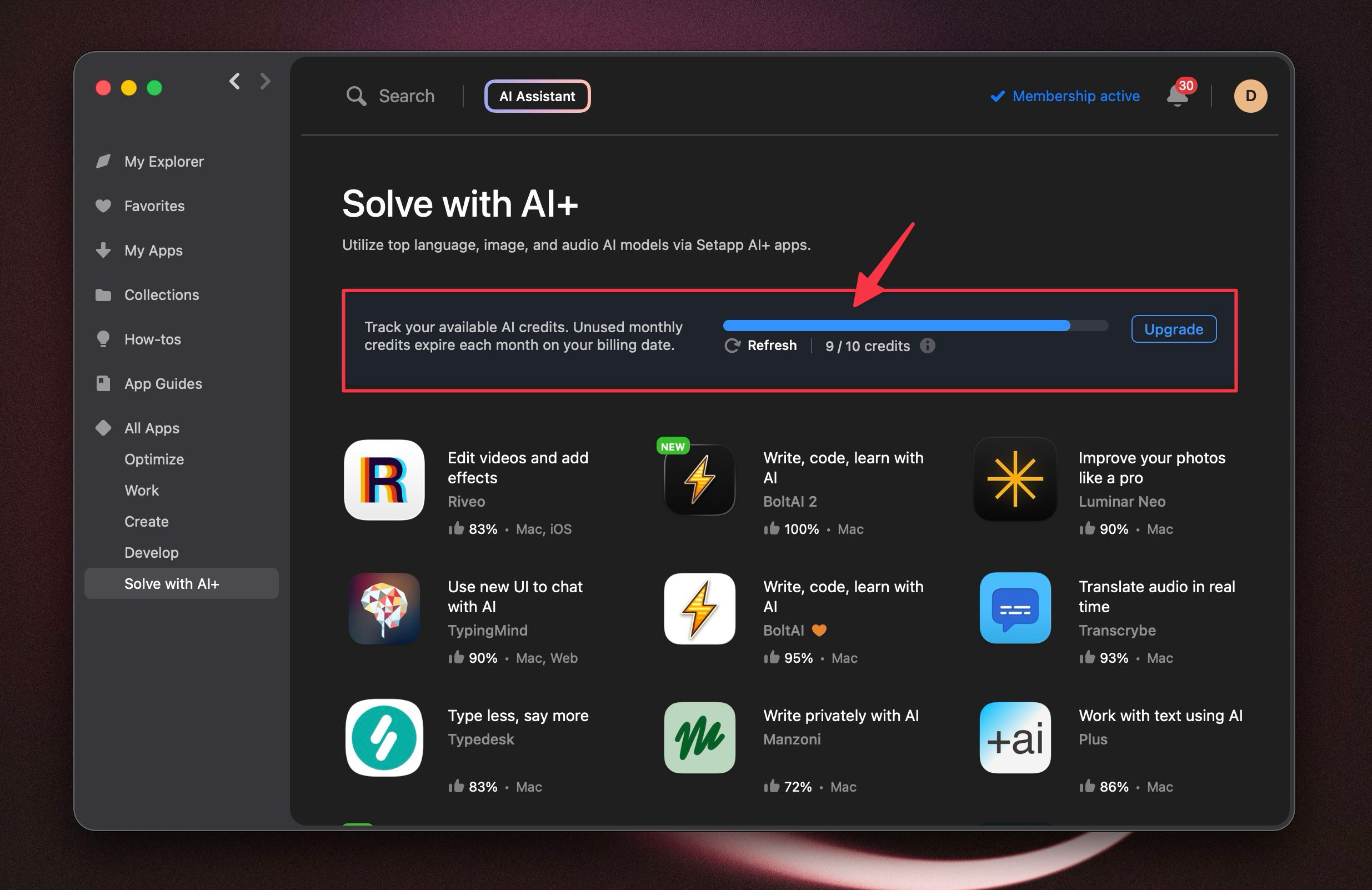
How to check your Setapp AI credits
Open the Setapp desktop app.
Go to the Solve with AI+ category.
Look for your AI credit tracker or AI plan details.
Setapp’s published AI plans currently include different credit amounts, so this is the first thing to verify.
What to do next
If your credits are low or exhausted
You can:
wait for your credits to refresh on your next Setapp cycle
upgrade to a higher Setapp AI+ plan
If your credits look available
Try this:
Confirm you are signed into the correct Setapp account.
Quit and reopen both Setapp and BoltAI.
Retry the request once.
If the error still appears, contact Setapp support.
What to send Setapp support
To speed things up, include:
the exact error text:
Payment Requiredthe time the error happened
the model you were using in BoltAI
whether it fails on every request or only some requests
a screenshot of the error
your Setapp plan and visible AI credit balance
Contact Setapp support
You can reach Setapp here:
chat on the Setapp support site
Important note
BoltAI does not decide whether your Setapp account has enough AI credits or access for a request.
If Setapp returns Payment Required, the issue usually needs to be resolved in your Setapp account, plan, credit balance, or through Setapp support.
For official Setapp details, see:
Was this helpful?
Still need help? Ask the team