Your first chat
First Contact™
Written By Daniel Nguyen
The Chat UI is really simple. If you can use ChatGPT, you can use BoltAI Chat.
Send the first message
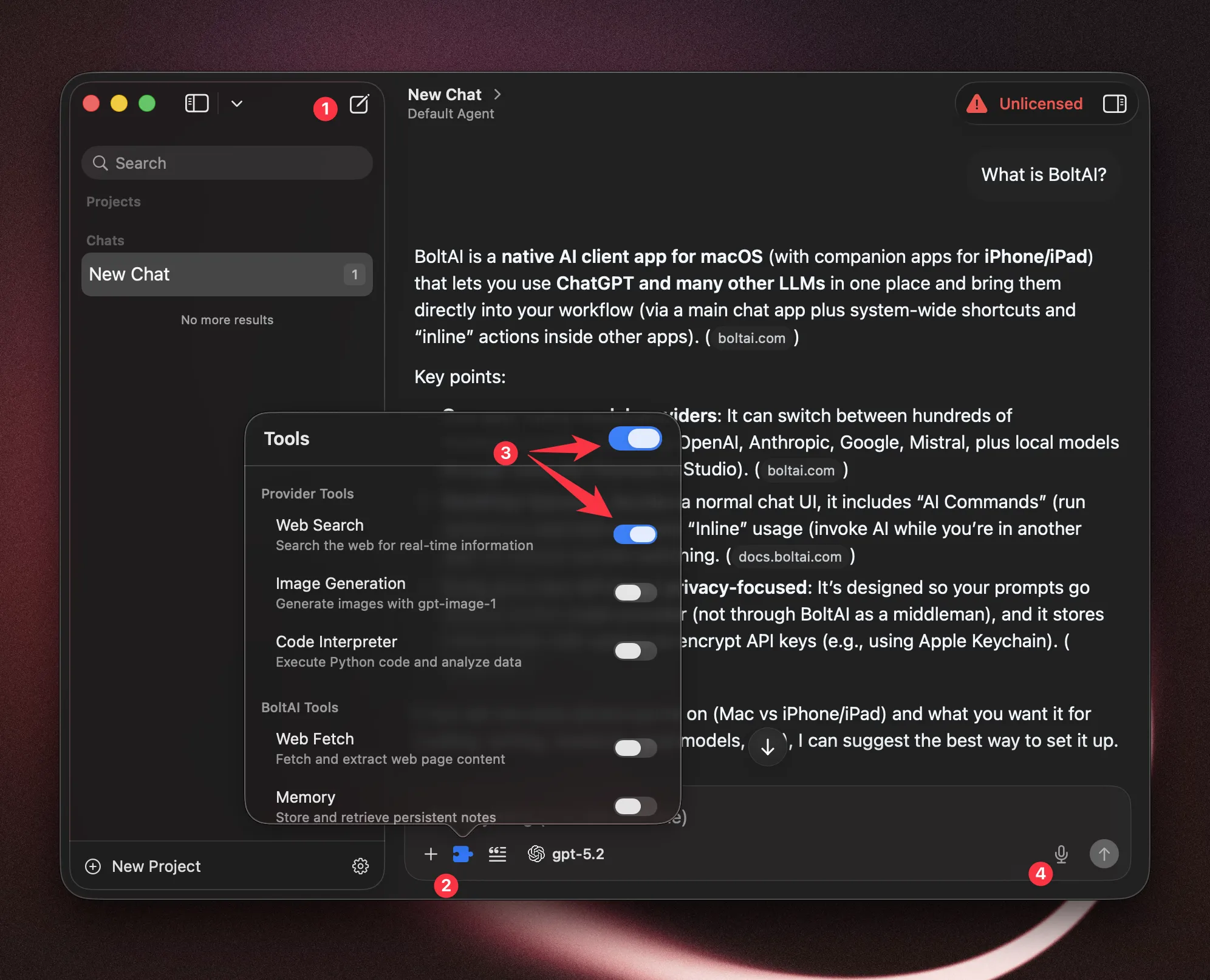
From the main window, start a new chat
⌘+N(Optional) Open the “Tools” toolbar button and enable Web Search tool.
Enter your message (Use
Option + ReturnorShift + Returnfor new line)Alternatively, you can click the "micro" button (4) for voice chat.
Generate an image
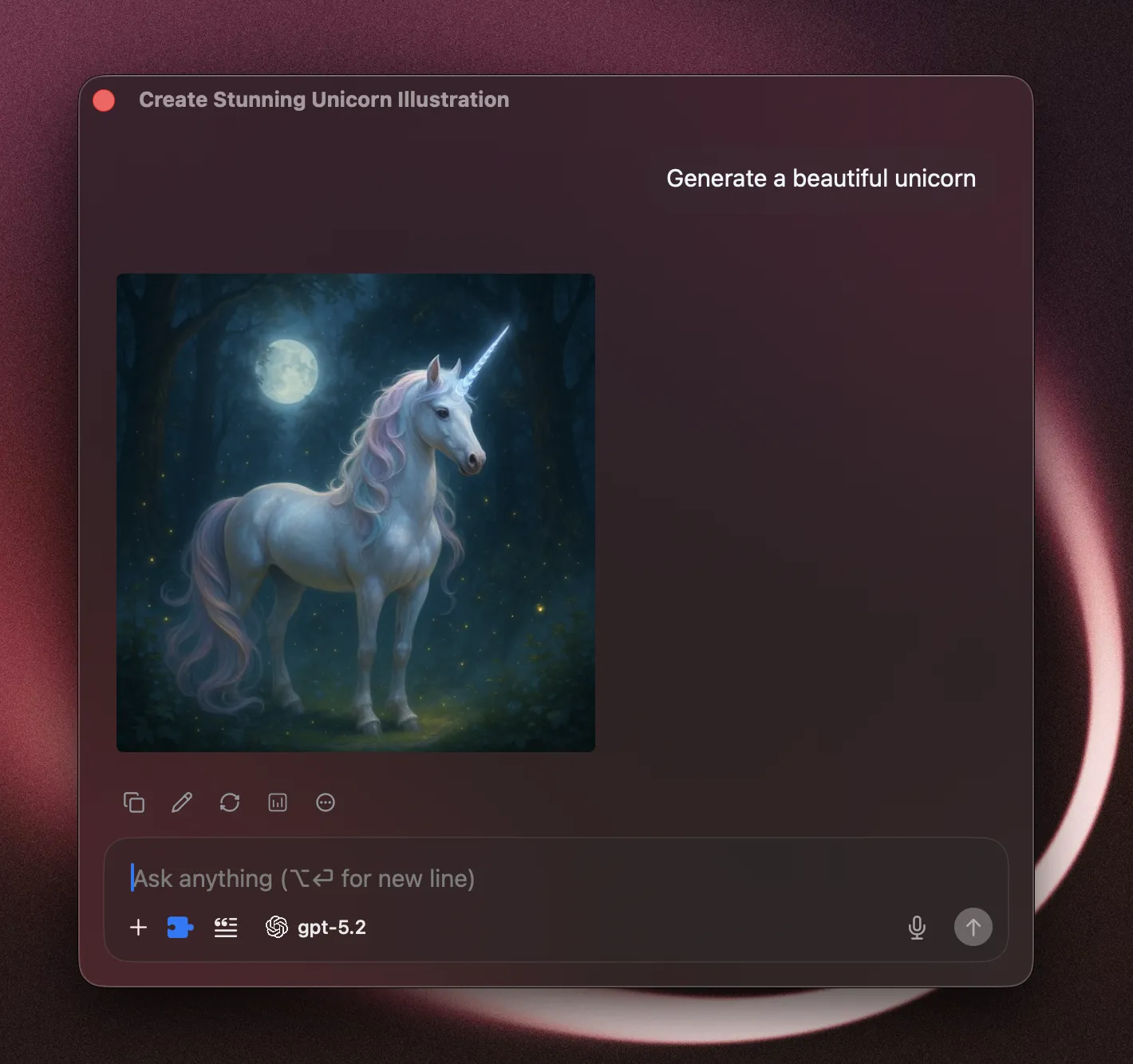
Select a model that supports image generation. Currently you can use an OpenAI model with Image Generation tool gpt-image-1 and Google AI’s Nano Banana model.
Start a new chat. Select OpenAI > GPT-5.2 model.
Open the “Tools” toolbar button and enable Image Generation tool.
Enter your prompt.
Import data from v1
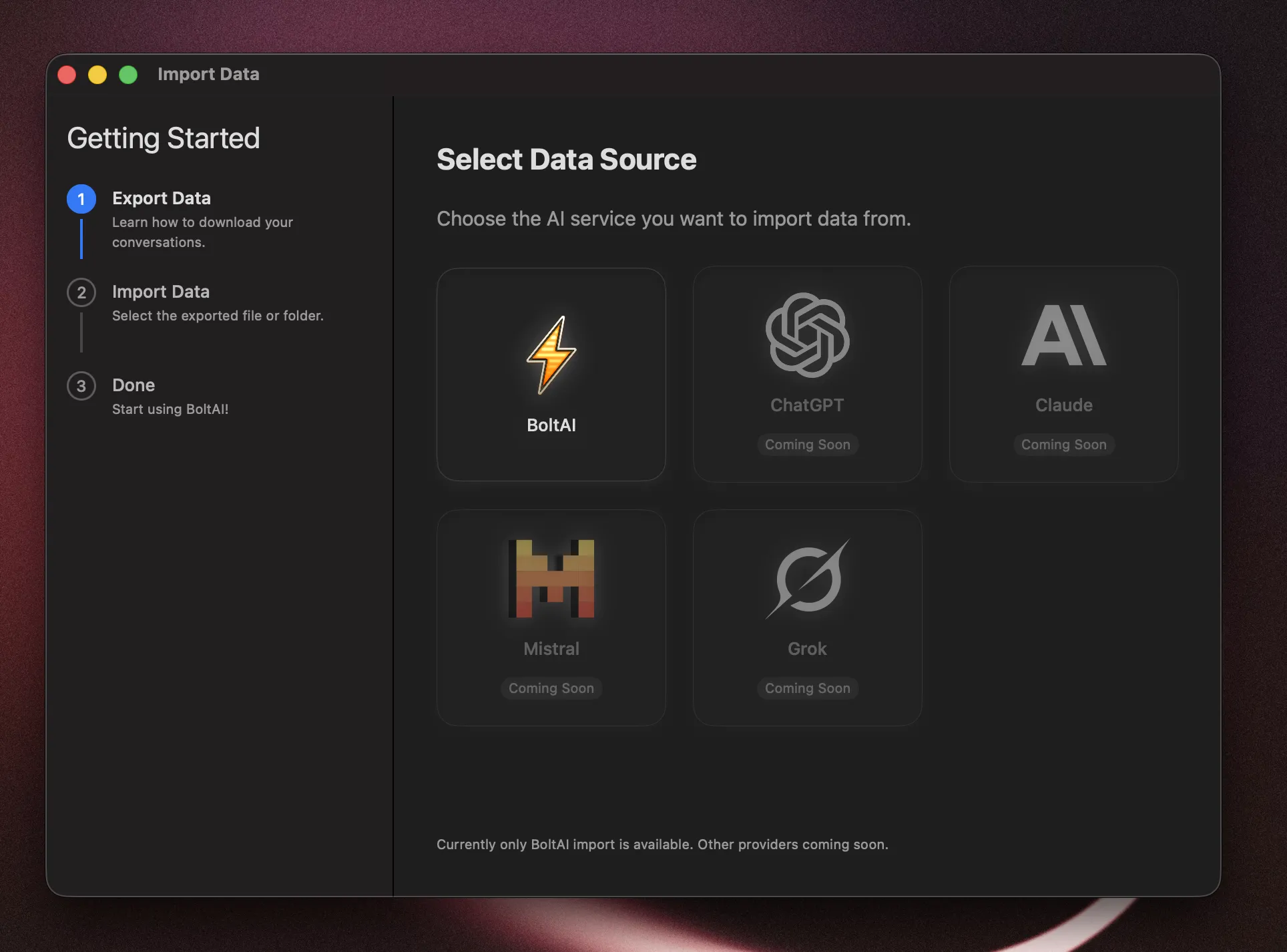
You can easily import your data from BoltAI v1. In the menubar, click File > Import Data… ( Command + Shift + I). Then follow the instructions in the Import Window.
Was this helpful?
Still need help? Ask the team