Instant Chat Bar
Ask AI a quick question from any app with ⌥ Space, with your selection or clipboard attached.
Written By Daniel Nguyen
The Instant Chat Bar lets you ask a quick question from any app, without switching to BoltAI. Press ⌥ Space, type, and press Return.
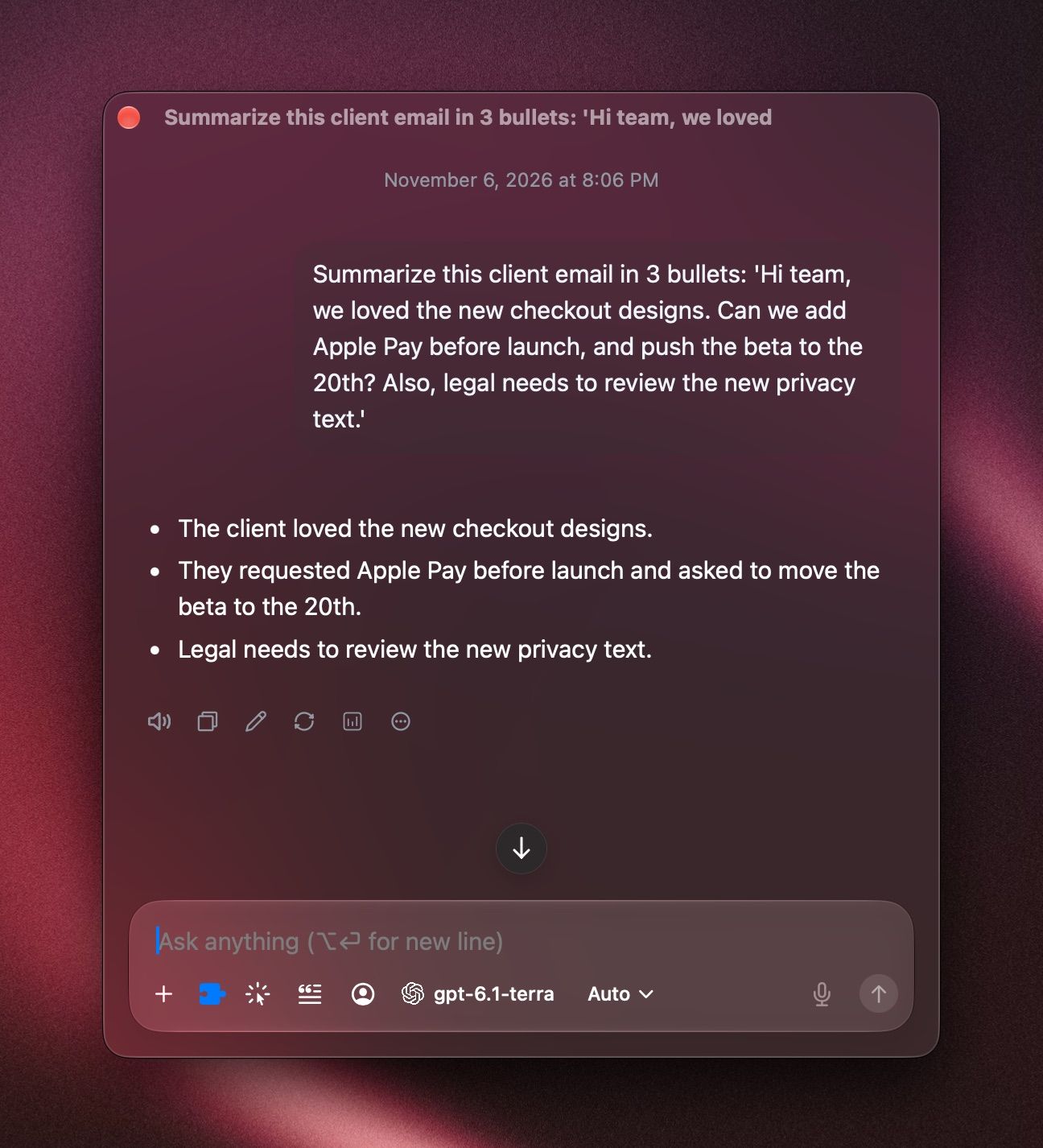
Ask a quick question
- Press ⌥ Space in any app.
- Type your question and press Return.
To change the model, press ⇧ ⌘ M. To let it search the web, turn on a search tool in the Tools menu. See Tools in a chat.
The chat is saved with your other chats. To keep going in the main window, choose Conversation › Open in Main Window.
To change the shortcut, open Settings › Shortcuts and set Instant Chat Bar.
Attach your selection or clipboard
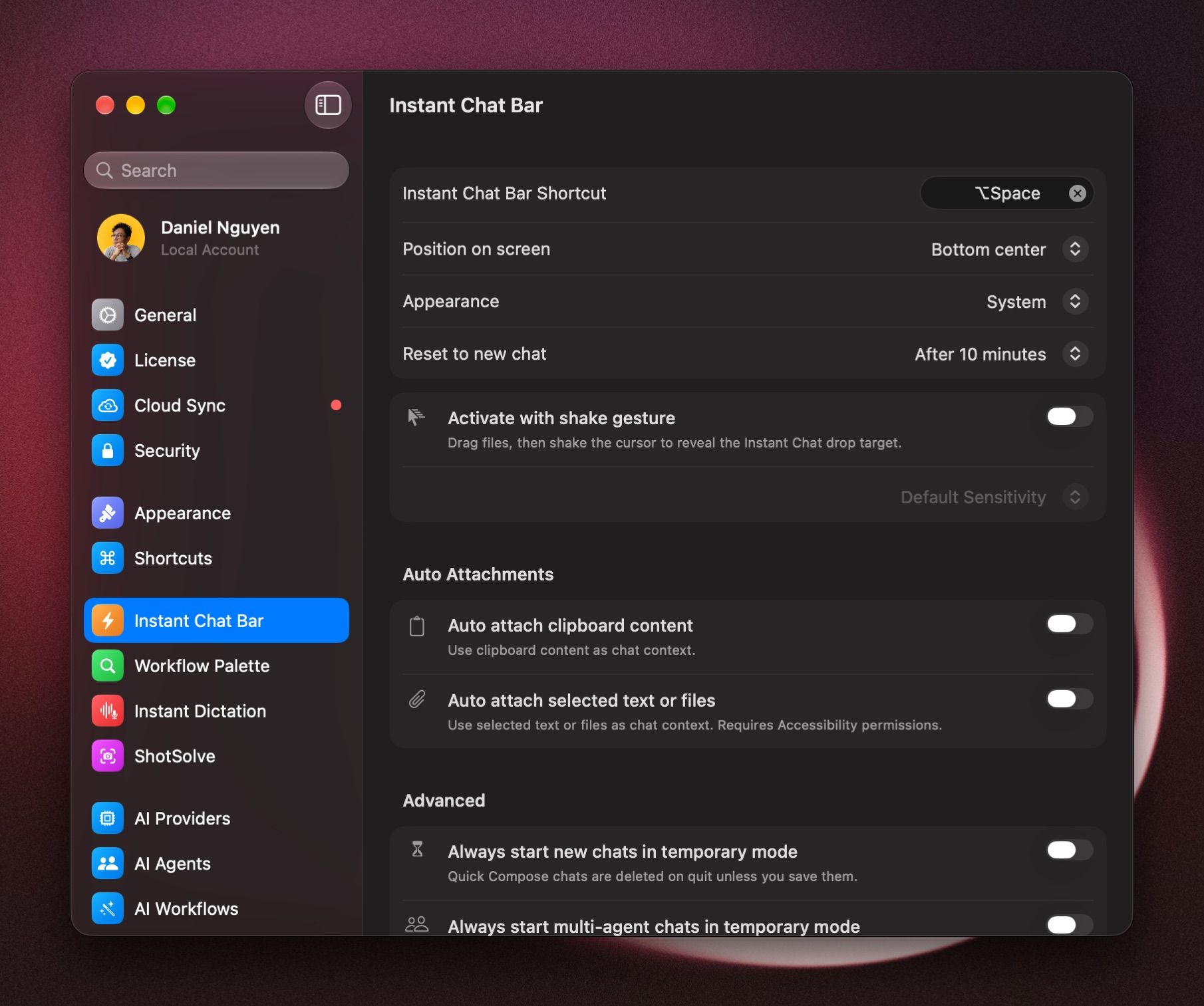
BoltAI can attach what you selected or copied, so you can ask Summarize this or Reply to this politely. Open Settings › Instant Chat Bar and, under Auto Attachments, turn on:
- Auto attach selected text or files: attaches what you selected in the other app. Click Enable Accessibility… and allow BoltAI.
- Auto attach clipboard content: attaches what you last copied.
Shake to open
Turn on Activate with shake gesture. Drag files and shake the pointer to drop them into the Instant Chat Bar. Choose Low Sensitivity, Default Sensitivity or High Sensitivity.
Choose when it starts a new chat
Reset to new chat decides when the Instant Chat Bar starts a new chat: Immediately, After 10 minutes, After 15 minutes, After 30 minutes or Never.
Make its chats temporary
Turn on Always start new chats in temporary mode. Instant Chat Bar chats are then deleted when you quit BoltAI, unless you save them with Conversation › Save Temporary Chat.
Position and appearance
Set Position on screen to Bottom left, Bottom center, Bottom right, or Remember last position. Appearance can make it always light or dark.
Related
- AI Workflows: fix, rewrite or summarize selected text with one shortcut.
- ShotSolve: take a screenshot and ask about it.
- Instant Dictation: dictate into any app.
Was this helpful?
Still need help? Ask the team