Link to a chat from other apps
Copy a link to any BoltAI chat and open it from your notes, tasks or documents.
Written By Daniel Nguyen
Every BoltAI chat has its own link. Paste it into a note, a task or a document, and clicking it opens that chat in BoltAI.
Copy a chat's link
Right-click the chat in the sidebar and choose Copy Deep Link.
Or press ⌘ I, click Info, and click the copy button next to Local Deep Link.
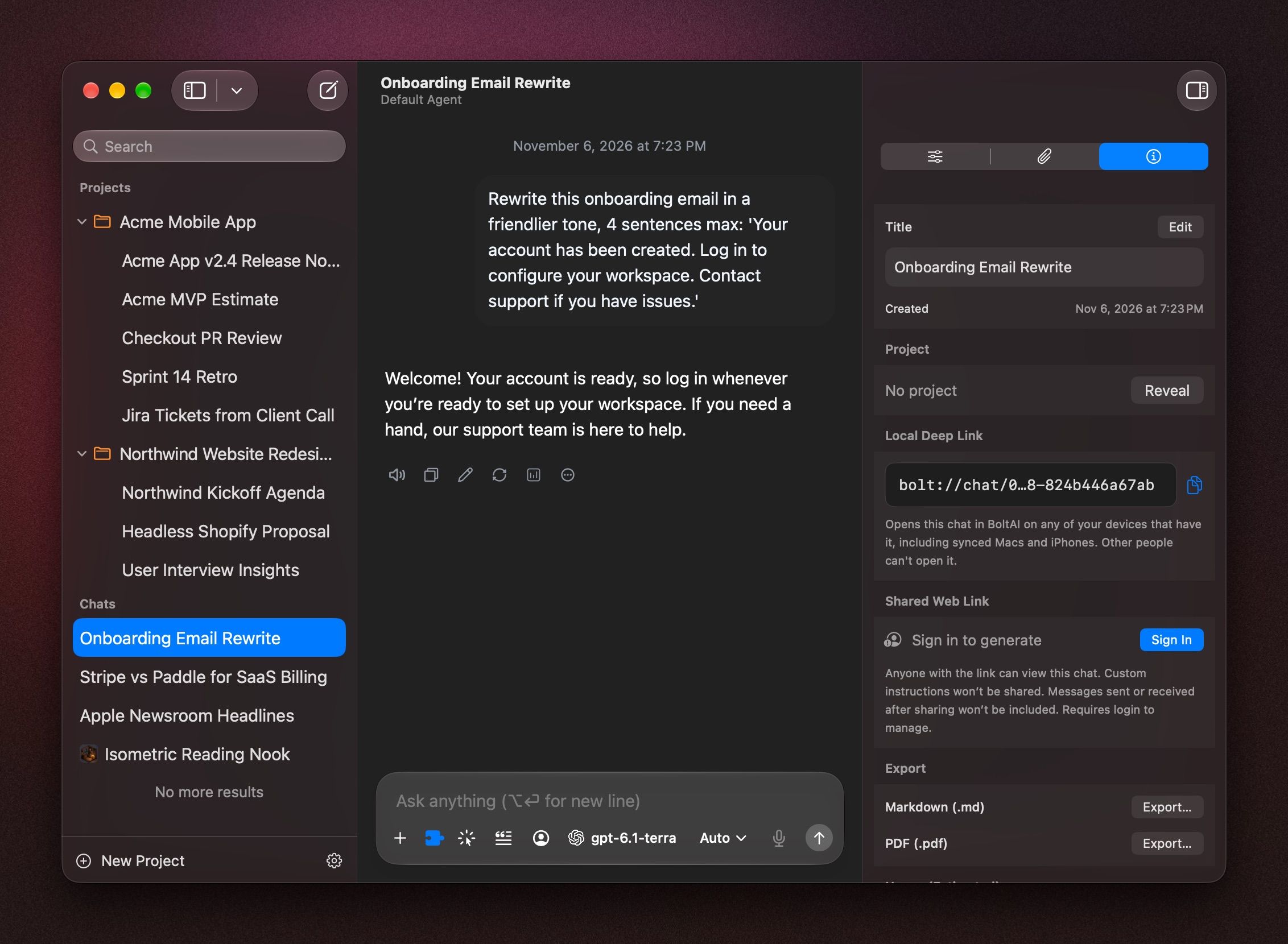
The link looks like bolt://chat/…. It opens the chat on any of your Macs that has it, for example with Cloud Sync on.
Share a chat with someone else
A deep link only works in your own BoltAI. To send a chat to someone else, share or export it. See Manage your chats.
Link chats with Hookmark
To link chats with Hookmark, see Use BoltAI with Hookmark.
Was this helpful?
Still need help? Ask the team