How to use Google AI in BoltAI
Add your Google AI Studio API key to chat with Gemini models, use Google Search in a chat, and make images.
Written By Daniel Nguyen
Google AI gives you Google's Gemini models with an API key from Google AI Studio. In BoltAI you can chat with them, let them search with Google, and make images.
To use Gemini through Google Cloud instead, see How to set up Google Vertex AI in BoltAI.
Before you start
An API key from Google AI Studio.
Set up Google AI in BoltAI
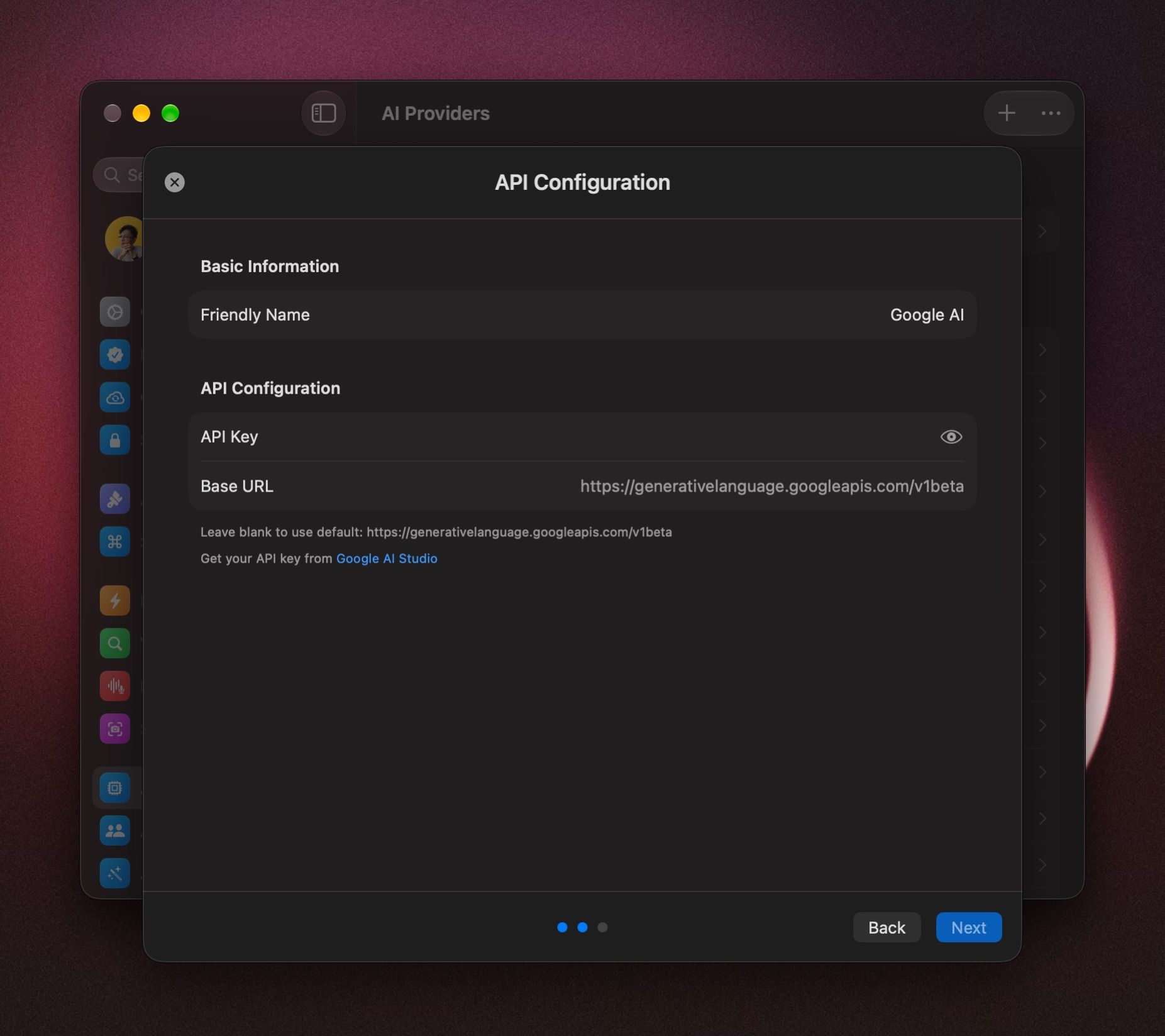
- Open Settings › AI Providers, click +, and choose Google AI.
- Paste your key into API Key. Leave Base URL empty.
- Click Next.
- Keep all models, or untick the ones you don't want. To choose the model this provider starts with, hover over it and click Set as Default.
- Click Add Service.
Start a chat with Google AI models
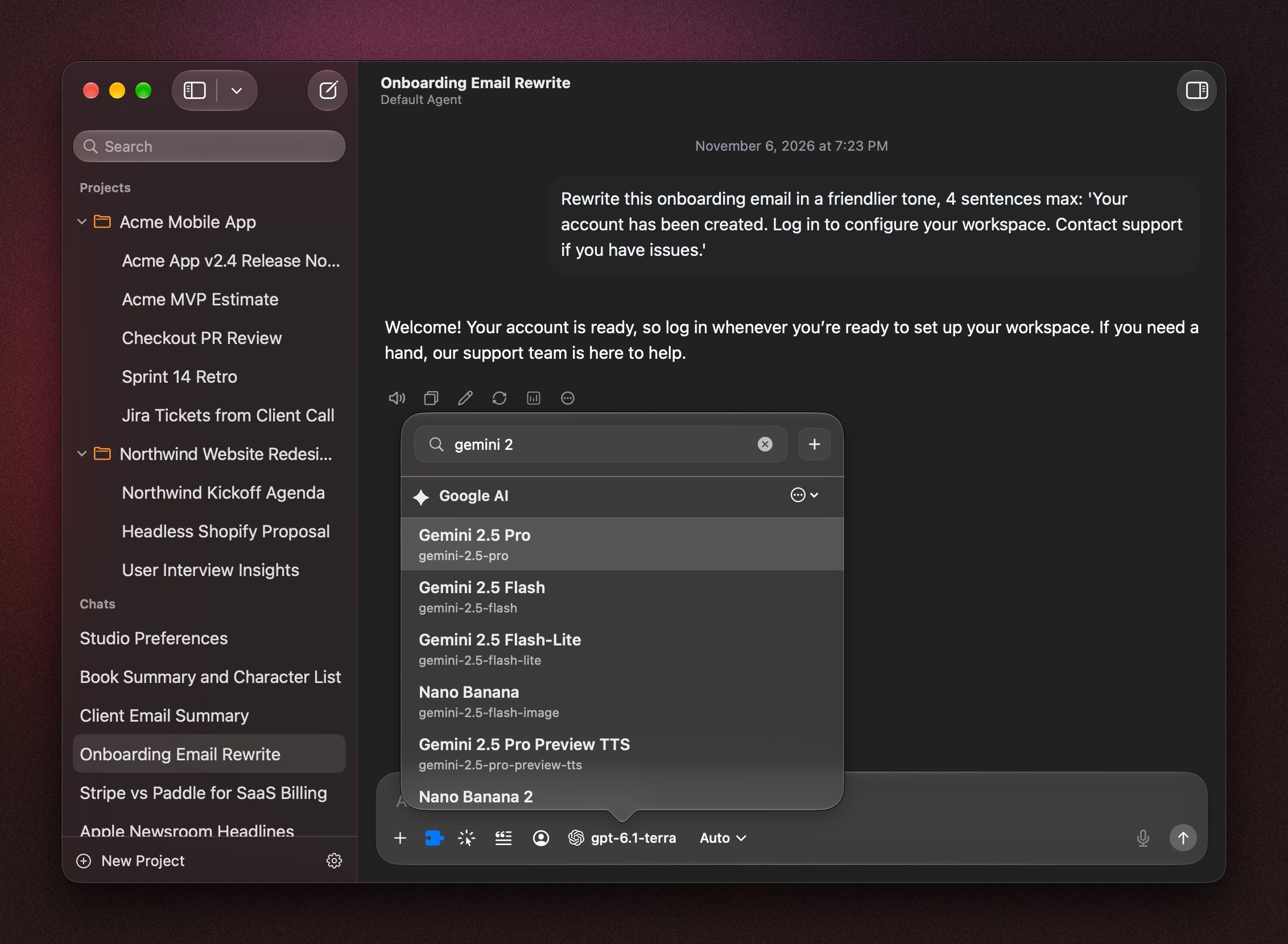
Click the model name in the message box, press ⇧ ⌘ M, or type /model, and pick a model under Google AI.
To start every new chat with it, right-click the model and choose Set Provider & Model as Default. See Choose and switch models.
Use Google's built-in tools
With a Google AI model selected, open the chat's Tools menu (press ⇧ ⌘ T). Under Provider Tools, turn on:
- Search to answer with Google Search results.
- Image Generation to make images in the chat.
- Code Execution to run code for an answer.
See Tools in a chat.
Set Gemini's thinking level
With Gemini models that think, the menu next to the model name offers Auto, Low, Medium and High.
Make images in Image Studio
Press ⌃ ⌘ N and pick Nano Banana 2 under Google AI. See Image Studio.
If it doesn't connect
- BoltAI says it needs an API key, but you entered one. Google didn't accept the key. Create a new one in Google AI Studio and paste it again.
- It stopped working later. Open Settings › AI Providers, click Google AI, open the ⋯ menu and choose Test Connection. To change the key, choose Edit Configuration.
- A new model is missing. Click Google AI in Settings › AI Providers and click Refresh Model List.
Was this helpful?
Still need help? Ask the team